Compare two frame-time budgets
These are mathematical targets you enter, not measured GTA VI performance.
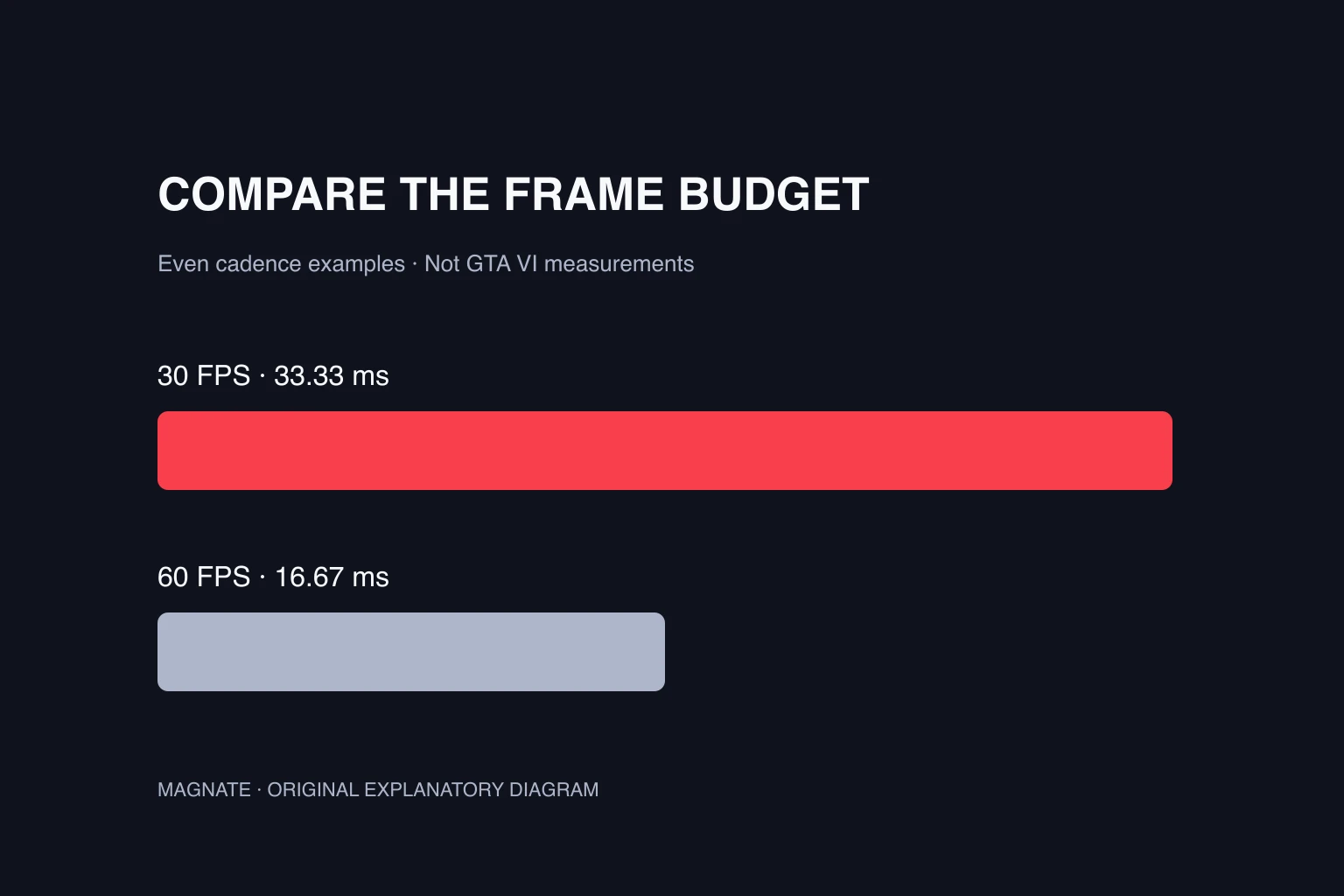
The calculation is 1,000 ÷ FPS. It assumes evenly spaced frames and does not estimate input latency or frame-time spikes.
Platform support does not specify a frame-rate mode
For the hardware purchase question, the PS5 Pro upgrade guide separates the enhancement label from game-specific performance claims.
The PlayStation product page lists PS5 and PS5 Pro Enhanced. Xbox lists Series X|S. These identify supported products. They do not establish the resolution and frame-rate combinations available in every version.
When comparing a performance claim, look for the exact console, game version, selected mode and measurement method. “Runs on Series S” and “runs at 60 FPS on Series S” answer different questions. An enhancement label alone does not settle the second.
30 FPS versus 60 FPS: compare the time budget
Divide 1,000 milliseconds by the frame rate to find the interval between evenly spaced frames. Doubling from 30 to 60 halves that interval. It does not mean every visual effect, pixel count or CPU task becomes twice as fast.
A stable average also does not describe every frame. A run can average a target while occasionally taking much longer to deliver a frame. For a meaningful performance comparison, consider frame-time consistency alongside the average.
| Even cadence | Time per frame | Interpretation |
|---|---|---|
| 30 FPS | 33.33 ms | Thirty evenly spaced frames each second |
| 40 FPS | 25.00 ms | An intermediate example, not a confirmed mode |
| 60 FPS | 16.67 ms | Half the 30 FPS frame interval |
| 120 FPS | 8.33 ms | A mathematical example, not a GTA VI promise |
A 120 Hz display is not a 120 FPS game
A display’s refresh rate describes how often it can refresh an image. A game’s frame rate describes how often it supplies new frames. Choosing a faster output setting cannot by itself make a game render faster.
Sony’s video-output guide explains resolution, 120 Hz output and variable refresh rate settings. Check Settings → Screen and Video → Video Output on PS5 and review the connected display information. The supported combinations depend on the display and connection.
VRR is another separate setting. It lets compatible displays adjust their refresh cadence within supported conditions. It should not be described as a switch that guarantees a particular GTA VI frame rate.
What a useful GTA VI benchmark should report
A benchmark needs a reproducible scene and enough context to compare like with like. Record the console model, game build, display mode, route and any changes to settings. Use comparable gameplay rather than comparing a quiet interior on one machine with a crowded drive on another.
State whether the figures came from a capture analysis, an in-game counter or another measurement. Video playback at 60 frames per second does not prove that every displayed frame represents a new rendered game frame.
Until platform-specific results exist, use this page to understand the numbers rather than choose hardware based on a guessed target. The Series S guide handles compatibility and purchasing; the system-requirements guide handles the broader platform questions.
Questions, answered.
Is GTA 6 confirmed to run at 60 FPS?
The official listings reviewed for this guide do not specify a frame-rate target for every console. This guide does not treat a trailer or enhancement badge as confirmation.
How much time is available per frame at 30 and 60 FPS?
At a perfectly even cadence, 30 FPS is 33.33 milliseconds per frame and 60 FPS is 16.67 milliseconds per frame.
Will enabling 120 Hz force GTA 6 to run at 120 FPS?
No. Display output capability and the game’s rendering rate are different. The game needs an actual supported mode.
Sources & editorial notes
Source review: October 5, 2026. Platform announcements can change. This guide separates published facts from Magnate’s original analysis and preparation advice.
- PlayStation — Grand Theft Auto VI Official PS4 compatibility, PS5 Pro Enhanced listing, and single-player product details.
- Xbox — Grand Theft Auto VI Official Xbox Series X|S listing and launch date.
- PlayStation Support — PS5 video output settings Resolution, refresh-rate and VRR settings; not GTA VI performance targets.
- NVIDIA — Frame-time analysis and stutter avoidance Technical frame-time analysis; no GTA VI benchmark data.
Published by an independent editorial brand. Read our editorial standards.